Smart Locks vs. Traditional Keypads: What You're Actually Paying For
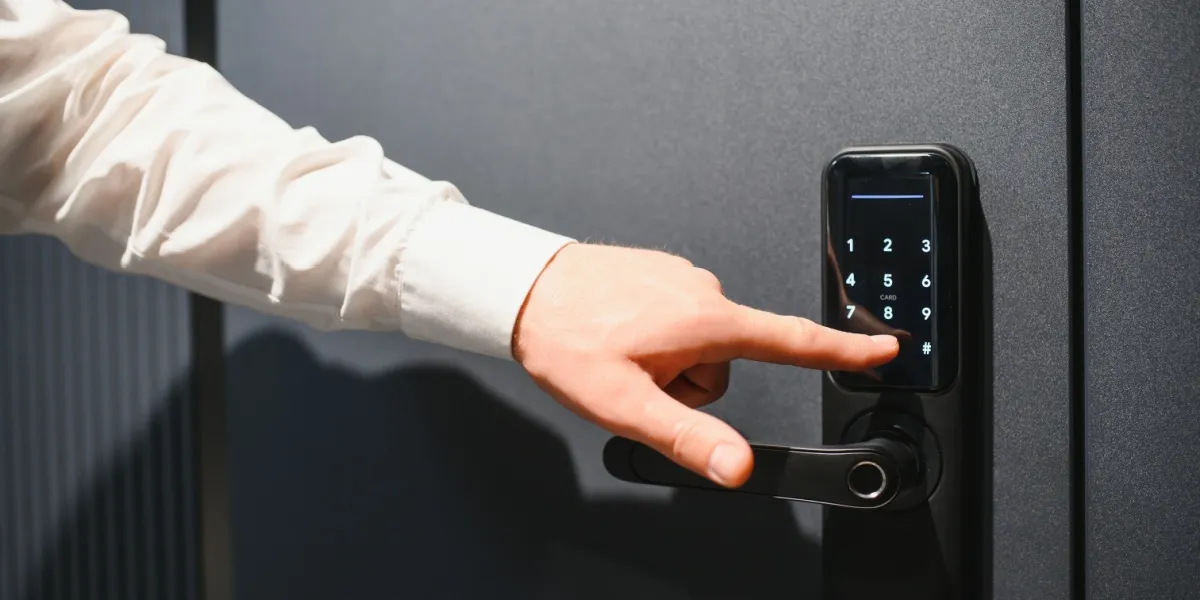
A traditional electronic keypad lock and a full smart lock look nearly identical on your front door, both let you skip carrying a physical key, both let you set a code. The difference is entirely in what happens behind the scenes, and whether that difference matters to you determines which one is worth the extra money.
A basic electronic keypad lock works entirely on its own, no Wi-Fi, no app, no internet connection required. You punch in a code, the deadbolt turns, that's the entire interaction. These typically cost less than a full smart lock and are simpler to install and maintain, since there's no network connection to troubleshoot if something stops working.
A smart lock adds connectivity on top of that same basic function, Wi-Fi or Bluetooth, a companion app, and often integration with a broader smart home or security system. That connectivity is what unlocks the features people actually upgrade for: remote locking and unlocking from anywhere, real-time notifications when someone locks or unlocks the door, individual access codes for different family members or a house cleaner with an activity log showing who used which code and when, and in some cases, integration with a video doorbell so you can visually confirm who's at the door before remotely granting access.
Pricing reflects that added functionality. Standard smart locks from established brands run $130 to $300, with Wi-Fi models that don't require a separate security hub generally sitting in the $200 to $250 range. Premium options, biometric fingerprint locks, or locks bundled into a full security system, can run up to $1,200. Installation, whether DIY or professional, adds $250 to $400 in most cases, similar to a standard traditional lock replacement, since the physical installation work is largely the same regardless of which type you choose.
Here's a tradeoff worth understanding honestly before assuming smart is automatically better: a $40 bargain smart lock is genuinely less secure than a solid $500 traditional deadbolt, security in this category correlates with build quality and lock mechanism strength more than with how "smart" the marketing sounds. Comparing similar price points, a good smart lock and a good traditional lock, is where smart locks tend to pull ahead on convenience without sacrificing security, but comparing a cheap smart lock against a quality traditional one isn't a fair fight in the traditional lock's favor.
Integration with an existing security system is where the real decision often lands. If you already have a monitored security system, ADT, Vivint, SimpliSafe, or similar, adding a compatible smart lock from that same ecosystem is typically straightforward and often unlocks additional features, like automatically arming your alarm when the door locks. If you don't have a broader system and don't plan to get one, a standalone Wi-Fi smart lock or even a basic keypad may deliver everything you actually need without paying for integration you'll never use.
Battery life and backup access are worth checking specifically before buying any electronic lock, smart or basic. Most run on standard batteries lasting several months to a year, and nearly all include either a physical key backup or a 9-volt battery jump-start port on the exterior for when the internal batteries die at an inconvenient moment, confirm this feature exists on whatever model you're considering, since being locked out by a dead battery defeats the entire point of a keyless system.
A practical way to decide: if remote access, activity logs, or integration with cameras and other smart devices genuinely matter to your daily life, a smart lock is worth the premium. If you just want to stop carrying a key and occasionally share a code with a guest or contractor, a well-reviewed traditional electronic keypad lock does that job for meaningfully less money.
One more detail worth confirming before buying either type: whether the lock is rated for exterior use across your actual climate's temperature range, not just generically marketed for outdoor doors. Touchscreens and biometric sensors specifically can behave inconsistently in extreme cold or in direct rain exposure depending on the specific model, so checking a lock's tested temperature and weather range, rather than assuming all "outdoor rated" locks perform identically, is worth the extra few minutes of research before you install one on a door that gets real weather exposure. A lock that works flawlessly in a showroom can behave very differently on an exposed front door through a real winter or a genuinely rainy season outdoors. Reading a handful of real owner reviews specifically mentioning your climate is often more useful than the manufacturer's own spec sheet.